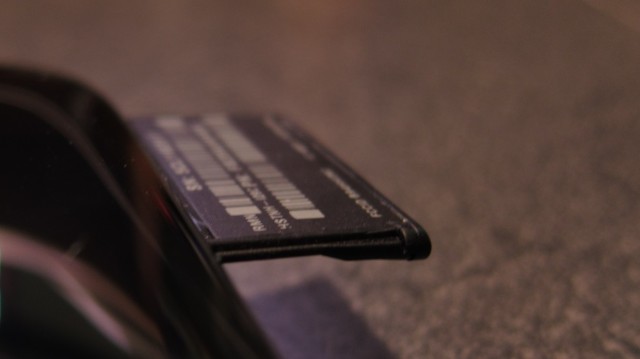
Cisco Valet Connector Constant Reboot

A few Sunday mornings back, I was woken up by the dog, who was in a quite agitated state. The media center had been trying to come out of hibernation to check TV schedules and do the other miscellaneous stuff that brings it out of sleep. However, it kept rebooting instantly out of the BIOS. Every time the memory check passed, it would beep, annoying the dog, who passed the annoyance onto me.

Unplugging the Cisco Valet Connector allowed the media center to boot properly. Cool, well not really, as a WiFi adapter should not keep a computer from booting. The fact that the Valet Connector shows up as a USB flash drive before becoming a WiFi adapter seemed odd to be before. And, I’m placing part of the blame on that behavior for this constant rebooting. To resolve the issue, I removed USB flash drives from the boot list in the motherboard’s BIOS.

When the media center finally booted, I noticed another issue. The Valet forgot that it was supposed to be in WiFi adapter mode. This one was my fault. If you do not complete the device setup using the included easy setup software, the device may not remember its state after reboot. Awesome, right? After completing the setup within the included easy setup software I have not had either issue reappear for a week now.

-John Havlik

[end of transmission, stay tuned]

Cisco Valet Connector (Model No: AM10)

It seems like whenever Woot is selling a very cheap, or somewhat decent USB WiFi adapter I’ll end up picking one up. In the past I’ve picked up two Netgear WPN111 USB WiFi adapters, and a Netgear WG111t. I’ve never been a fan of either model, but they did the job and were super cheap. A few weeks back, Woot had the CISCO valet connector (Model No: AM10), in new condition, for a decent price (almost went for 2).

Continue reading

What I Look for in a Laptop

After having a slight scare with the “h” key on my trusty Vostro 1400 (the key mechanism was binding slightly so that it had to be firmly pressed from the top to register), I began casually perusing the laptop market to see what was available.

Since I’ve had this laptop for over 3 years now, it is nearing the end of its normal service life. Lithium Ion batteries are only good for 3 to 5 years. Based on previous experience, I probably have about a year left before the battery stops holding a charge. Even though I could just buy a replacement battery, getting something new may be a better alternate (already have a fatigue crack near the ExpressCard slot).

Continue reading

Breadcrumb NavXT 4.0 Alpha

Grab it while it is still warm! Breadcrumb NavXT 4.0 Alpha is now available, in SVN Trunk. It has been several years since Breadcrumb NavXT has had an Alpha/Beta release. With the underlying changes in the settings structure, it seemed appropriate to have an informal Alpha release in addition to a formal Beta release.

Note that this is Alpha quality software, not all features that will be in 4.0 have been implemented yet. Several features slated for 4.0 have not been implemented yet. Some features in the settings page are not working currently do to changes in WordPress 3.3 (waiting for 3.3 to stabilize). The plan is to use the new Help menu constructs to proved better documentation within the plugin. Additionally, the Import/Export/Reset tab needs a new home, most likely under the new Help menu.

This would be a good time to note that Breadcrumb NavXT 4.0 will require WordPress 3.3. Finally, SVN Trunk will be usable (non-broken) from today until after 4.0 is released. If you find any bugs/PHP errors/PHP warnings, please report them in the comments section of this post.

Grab the Alpha/SVN trunk version of Breadcrumb NavXT.

-John Havlik

[end of transmission, stay tuned]