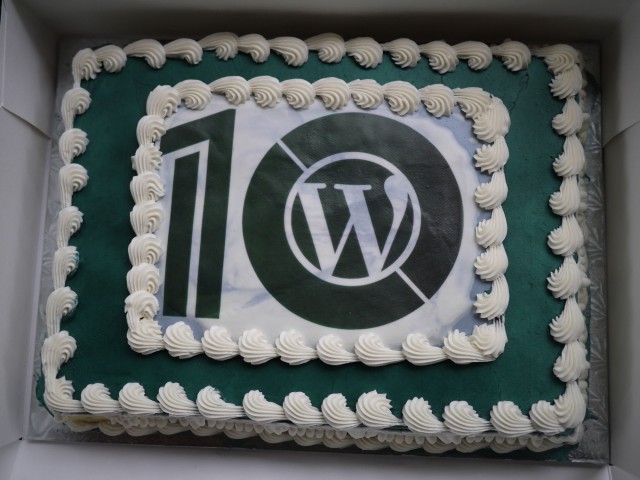
WordPress 10 Year Anniversary: Minneapolis Party

Today marks WordPress’ 10th year of existence. To celebrate, #wp10 parties are being held all over the world. In the Minneapolis/St. Paul area we met at Minnehaha Park. Unfortunately, the weather didn’t cooperate for the bike-ride/run that we planned to do before grilling. So, we stuck to socializing in the pavilion, grilling bratwurst (some hotdogs, chicken and a lonely hamburger made it to the grill as well), and eating birthday cake.

-John Havlik

[end of transmission, stay tuned]

Monitor Logins 0.2.0

Introducing Monitor Logins, a simple plugin that allows you to monitor login attempts (successful and unsuccessful) made against your user account on your WordPress install. Failed attempts to login to user accounts cause email notices to be sent to that user. That is, if they have notifications enabled. Notifications are enabled on a per user basis, and are off by default.

Additionally, Monitor Logins will remember devices used to login with, should a device be “new” upon successful login a notice will be sent to the user. Devices are forgotten if they have not been seen for a few months. The last several successful logins are remembered and displayed in a list akin to what Gmail does. Only a user can view his/her own login activity.

I originally wrote this plugin to gain greater visibility into login attempts made against user accounts on this site almost a year ago (Way before the recent botnet dictionary attacks). Since then, it has been steadily refined to make it more suitable for a wider range of users. For those of you who attend the MSP WordPress meetups, this is the plugin I demoed during a lightning talk session in March.

More information is available on the Monitor Logins project page.

Download Monitor Logins 0.2.0 from Git Hub.

-John Havlik

[end of transmission, stay tuned]

Benchmarking WordPress (Investigating the Optimal Server)

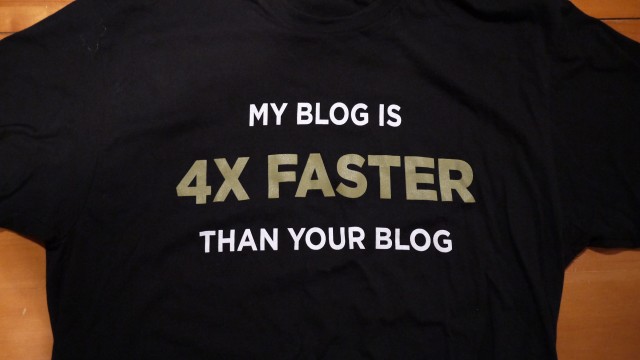
With WordPress powering an estimated 16.7% of all websites1, having tools to evaluate server performance for running WordPress is becoming necessary. At the time of writing this article, there are no known published investigations into determining the optimal server configuration for WordPress. Yet, hosting providers will make bold claims, such as “My blog is 4x faster than your blog”. While these claims make for entertaining t-shirts, without a defined methodology there is no way to verify them.

Continue reading

Notes:

  1. Mullenweg, Matthew. “State of the Word 2012.” WordCamp San Francisco 2012. San Francisco .

WP Lynx 0.6.0

Say hello to a new, better organized, settings page. Settings are now organized by context, with many of the advanced, infrequently used settings sitting under the advanced tab. In the process of updating the settings page, the underlying plugin core was updated to the latest mtekk_adminKit, which already ships with Breadcrumb NavXT.

Additionally, WP Lynx now supports capturing a screenshot of a website and using that as the thumbnail image. This is provided though Snapito!, you’ll need to grab an API key for it to work. Note that the site screenshot will always be the second image in a thumbnail set, unless no other thumbnails were found. Also note that the initial loading of a screenshot may take several seconds. Please wait for the screenshot to load in the window before inserting the lynx print to ensure WP Lynx can cache the image properly.

Lastly, a few tweaks were made to the scraping engine to fix the causes of PHP notices in cases where something went wrong in retrieving a site.

Note that this release  is the first in a series of planned releases between now and 1.0. Each will add a minor number of features, tracked in the WP Lynx GitHub Repository.

-John Havlik

[end of transmission, stay tuned]

I’m Speaking at WordCamp Minneapolis

My presentation titled “The Power of Custom Types” was accepted into the “Intermediate” track for WordCamp Minneapolis 2013. This is based off of the presentation I gave twice at WordCamp NYC last year. Based on some feedback from organizers this presentation will take a slightly different path than its predecessor.

Yes, it is still on Custom Post Types. However, custom taxonomies and post (custom) meta will also be covered. Inspiring members of the audience to use WordPress’ custom types in their next project is the aim of the presentation. In the presentation I will be covering the basics of CPTs, taxonomies, and post meta, presenting a few cool tips and tricks, discussing when a CPT, taxonomy, or post meta use is appropriate, and showcasing some cool plugins that use a combination of CPTs, taxonomies and post meta. As always, there will be plenty of time for Q&A so bring your questions.

Psst. If you haven’t registered yet, register for WordCamp Minneapolis while you still can.

-John Havlik

[end of transmission, stay tuned]